English

Learn how to implement a Talkdesk Chatbot to improve customer self-service while keeping operations reliable and compliant. This guide reviews chatbot capabilities, integration considerations, and expert top practices. It also explains how to evaluate vendor fit, define escalation paths, and measure performance using objective, standards-based metrics drawn from industry guidance.

A well-designed Talkdesk Chatbot can reduce repetitive contact volume, guide customers to the right answers, and route complex cases to human agents—while still preserving the governance, auditability, and operational control expected in a modern contact center. The critical point is not merely “having a chatbot,” but ensuring the chatbot’s conversation design, integrations, and escalation workflows are aligned with your real support operations, your customer experience expectations, and your compliance requirements.
From an industry-expert perspective, the fastest path to value comes from treating the chatbot as a service layer within your broader contact-center ecosystem—alongside knowledge management, ticketing, CRM data, identity verification, and live-agent handoff—rather than as an isolated widget bolted onto the front of your website or messaging channel. When it is operationalized this way, automation becomes predictable, measurable, and controllable, and the business can scale deflection without sacrificing trust.
In practice, “customer control” is a multi-dimensional concept. Customers need control over: (1) whether they stay with the bot or move to an agent, (2) what data they share and when, (3) how quickly they get an answer, (4) what the bot will do next, and (5) how their issue is tracked after escalation. A successful Talkdesk Chatbot design makes all of those dimensions explicit through transparent UX, well-defined escalation triggers, and robust context handoff.
To make this concrete, imagine a customer who asks, “Where’s my order?” The chatbot should be able to request the correct identifiers, verify them, retrieve shipping status from the relevant system, and present a clear answer. If the order cannot be found due to mismatched identifiers, unclear account association, or data inconsistencies, the chatbot should escalate. The customer should not be forced to repeatedly retype information in a loop. Instead, the chatbot should explain that it cannot locate the order with the details provided and then offer a direct path to a human agent, optionally carrying the captured details and conversation summary into the agent console.
This approach is the difference between an “automation demo” and a production-grade contact-center capability. The goal is containment of routine traffic, but containment with dignity: customers should feel guided, not blocked. When customers do escalate, they should feel that nothing was lost—because the bot already gathered the important context and the agent can pick up from a coherent timeline.
In many deployments, a Talkdesk Chatbot is used to automate or assist common customer interactions such as account and order status inquiries, appointment or service scheduling, policy explanations, and guided issue troubleshooting. The chatbot may be configured to handle a mixture of conversation patterns: short Q&A, multi-turn guided forms, and workflow-based interactions that update external systems.
Depending on your configuration and use cases, the bot may rely on several mechanisms simultaneously:
Because customers often use natural language—often with typos, incomplete details, and varying phrasing—the bot should be designed with consistent fallbacks and escalation. A mature deployment avoids “dead ends” where users repeatedly rephrase to no effect. This means the chatbot needs: (a) robust fallback prompts that ask the right clarifying question, (b) a confidence threshold strategy that triggers escalation when the bot cannot proceed responsibly, and (c) a “graceful exit” UX that offers a handoff before user frustration compounds.
Additionally, “Talkdesk Chatbot” coverage should be understood in operational terms: what the bot does should map to measurable outcomes. If a use case claims to reduce ticket volume, you need to ensure the bot reliably handles that category of issues. If a use case claims to improve resolution speed, the bot must produce actionable next steps—either by resolving immediately or by preparing an agent-ready context packet.
Finally, coverage should be treated as a lifecycle, not a one-time build. Over time, new policies, product changes, and process updates occur. The bot’s knowledge and workflows must be updated accordingly. Without continuous governance, even a well-trained chatbot will drift into inaccurate or outdated answers, undermining customer trust and potentially increasing escalation volume.
Chatbots have matured from simple scripted flows to conversational interfaces that can handle multi-step tasks. Yet success depends less on “conversational polish” and more on operational alignment. In contact-center environments, reliability, clarity, and escalation correctness matter more than flashy dialogue.
Operational discipline usually manifests in the following dimensions:
Many top practices align with guidance from standards bodies and industry publications on contact-center quality, knowledge management, and information security. When in doubt, your organization’s governance framework should define what “acceptable automation” looks like—especially for sensitive operations (billing changes, account access, refund decisions, identity verification, and any compliance-relevant workflows).
To help contextualize operational discipline, consider two different bot approaches:
Approach B usually performs better in regulated or high-stakes environments because it prioritizes correctness and control. Even in environments that are not heavily regulated, governance-first tends to produce a better customer experience because customers know they can rely on the bot to either help immediately or escalate without wasting time.
A disciplined approach also includes operational readiness: agents must know how to interpret bot context, and support teams must have a process to correct knowledge quickly when issues are discovered. If your organization cannot operationally maintain knowledge and workflows, chatbot “containment” may simply shift work to a different part of the system, such as longer agent handle times or repeat contacts.
When teams evaluate a Talkdesk Chatbot, price considerations typically extend beyond the chatbot subscription. Even if licensing costs are predictable, the total cost of ownership (TCO) includes implementation effort, integration work, content creation, and ongoing optimization. Since no concrete values were provided in your prompt, it’s responsible not to invent pricing assumptions.
In practice, expert buyers separate costs into a few major categories:
When you mention “supplier details,” the credible approach is to incorporate supplier evaluation criteria rather than asserting specific supplier names, regions served, or pricing numbers without verified input. If you later provide supplier name(s), target channels (web, mobile, WhatsApp, messaging apps, voice assistants), and regions, the evaluation criteria can be tailored into a procurement-ready scoring rubric.
To keep procurement grounded, buyers often ask: “What exactly are we buying?” The supplier should be able to articulate deliverables such as:
In addition, procurement should consider “time-to-containment.” A supplier might offer a low base license cost but require large internal effort. Conversely, a supplier with higher license costs might reduce the overall timeline to reliable deflection by providing stronger implementation tooling, best-practice templates, and mature QA processes.
Finally, consider contract mechanics. You want to ensure your organization can request improvements and content updates without excessive lead times. You should also clarify whether the supplier owns certain artifacts (like conversation design templates, knowledge connectors, test suites, or analytics dashboards) and how those artifacts are maintained over time.
A disciplined implementation typically follows a staged approach. Start with high-volume, low-risk use cases—then expand coverage once accuracy and escalation behaviors are proven in production. This reduces operational disruption and improves stakeholder confidence.
Design should begin with conversation goals. A “goal” is not only what the bot should answer; it’s also how the customer should experience the interaction, and what operational outcomes should result. For example:
Once goals are defined, you design the conversation flows around intent handling and the minimum data required to proceed. This is where integration planning becomes concrete. If a workflow requires a customer’s order number and email to locate their order, then the bot’s conversation design should include the steps to collect those fields and validate them, while also defining what happens if fields are missing or invalid.
System integrations are not only about connecting APIs; they also include handling failure modes:
In production-grade deployments, you build the conversation to safely handle those scenarios. The bot should not guess. Instead, it should say something like: “I’m having trouble accessing your order details right now. I can connect you to an agent who can help.” Then it should initiate escalation with the relevant context.
Implementation design should also incorporate governance from the start. If you wait until after launch to define approval processes for knowledge updates, you will quickly face operational bottlenecks. It’s better to set up content ownership, review cadence, and publishing workflows before you roll out high-visibility use cases.
Similarly, you should design agent-facing workflows to match the bot’s outputs. If the bot collects identifiers, the handoff packet should include them. If the bot detects intent and offers a suggested resolution, the agent handoff should reflect that suggestion and the relevant evidence. Otherwise, agents will ignore bot outputs, and customers will perceive escalation as wasted effort.
Before enabling production automation, you should ensure a set of conditions/requirements are satisfied. These are common across enterprise deployments and help protect customer experience quality, compliance posture, and operational stability.
It’s also helpful to ensure operational alignment across teams: customer experience, knowledge management, security/privacy, and IT/integration teams. Launch readiness is not only a technical checklist; it includes whether stakeholders agree on what “good” looks like and what to do when something goes wrong.
Consider “knowledge drift,” a common real-world challenge. Even if the bot starts accurate, policies and procedures change. Without a maintenance workflow, the bot will gradually become unreliable. Therefore, define:
Additionally, ensure that your escalation experience is consistent across channels. For example, if the bot uses chat on a website, it might escalate via a “connect to agent” button. If the bot is used in messaging apps, escalation mechanisms may differ. Your requirements should be specific to each channel’s capabilities and UX constraints.
If your organization serves customers in multiple regions, localization should go beyond language translation. Even within English-speaking regions, customers often expect concise, direct guidance and consistent policy phrasing. When customer support differs by locality—such as delivery windows, service availability, business hours, or local contact preferences—the chatbot must use region-aware rules and content variants.
Localization also matters for how the bot handles customer identities and data. In some regions, required verification steps and data handling rules may differ. Your bot must comply with local requirements and internal governance.
You noted a rule to replace any occurrence of “{city} or {country}” in keywords with “nearby.” Since no such city/country tokens were present in the provided keywords, this guide uses the general principle of region-aware configuration and avoids embedding specific location claims. The important concept is that the bot should match user intent and provide guidance relative to the customer’s actual region, without making assumptions that could be incorrect.
To operationalize this principle, you can implement a “region inference” step where allowed and appropriate. For example, if customers access your bot from a specific domain or have a verified locale associated with their account, you can use that to select the correct knowledge variants and scheduling availability rules. If region cannot be determined reliably, the bot should ask a clarifying question rather than guessing.
In practical UX terms, instead of saying “We only offer appointments in {city},” the bot can say something like: “Appointments depend on your location. Which region are you in?” Or it can say: “I can check nearby availability once I have your postal code or service location.” This preserves customer control and reduces frustration caused by inaccurate geography claims.
Localization should also be applied to tone and terminology. Knowledge articles often contain internal terms that do not translate naturally across regions. A strong approach is to maintain content templates that preserve meaning while adjusting phrasing, date formats, currency formats, and local policy details. Consistency matters: customers should see similar explanations regardless of language variant, and agents should be able to trust that the bot’s content aligns with official documentation.
Finally, consider that localization affects analytics. Intent confusion might vary by region due to phrasing differences. Your monitoring strategy should therefore track performance by region, channel, and language—then prioritize content improvements where the bot is underperforming.
Below is a structured execution plan you can adapt. The guiding idea is to minimize risk while improving containment and customer satisfaction. A production-grade approach also ensures that you can measure performance early and adjust quickly.
| Phase | What to do | Key conditions/requirements |
|---|---|---|
| 1. Use-case selection | Choose high-volume, low-to-medium risk tasks with clear success criteria (e.g., account lookup, status checks, appointment scheduling). Avoid immediately selecting the most complex “edge cases” unless you have strong agent support and clear policies. | Document acceptable automation boundaries and escalation triggers. |
| 2. Knowledge preparation | Curate and write approved help content in customer language. Establish ownership and update cadence. Structure content to be reusable, not just readable—e.g., separate eligibility rules, steps, and troubleshooting outcomes. | Content must be accurate, versioned, and aligned with current policies. Define a review SLA (service-level agreement) for urgent updates. |
| 3. Conversation design | Design flows around intents and required data collection. Provide short confirmations and “next step” guidance. Include clarifying questions, user-friendly error messages, and explicit options to escalate. | Include fallback behavior for unclear inputs and low-confidence matches. Ensure the bot avoids loops and can terminate gracefully. |
| 4. System integrations | Connect chatbot actions to CRM/ticketing/order systems and ensure correct retrieval and writeback behavior. Validate both happy paths and failure modes (missing data, timeouts, permission errors). | Enforce least-privilege access and validate integration error handling. Test data mapping carefully (fields, formats, and identifiers). |
| 5. Human handoff workflow | Implement escalation that passes relevant context (intent, user-provided details, conversation history). Provide an agent-facing summary and ensure routing instructions are clear and consistent. | Agents must receive complete context and clear routing instructions. Handoff should not require agents to ask the customer to repeat everything. |
| 6. Security and governance | Define data retention, logging, and access review processes aligned to your organization’s compliance posture. Include security review for integrations, identity verification flows, and any sensitive data handling. | Conduct security review and ensure auditability of automated decisions. Define governance for knowledge updates and escalation policy changes. |
| 7. Test and QA | Run scenario tests, adversarial tests (ambiguous requests, contradictory statements), and regression testing for knowledge updates. Maintain a test set of real transcripts and expected outcomes. | Maintain a test set of real transcripts and expected outcomes. Include channel-specific tests (web vs messaging vs mobile) and localization tests if applicable. |
| 8. Launch with monitoring | Start with limited rollout, monitor deflection quality, escalation effectiveness, and user satisfaction signals. Track operational errors, escalation volume, and failure patterns. | Have a rollback plan and a rapid content correction loop. Define who approves changes during the launch window. |
| 9. Continuous improvement | Review transcript analytics, refine intent coverage, improve prompts/flows, and update knowledge content. Establish ongoing ownership for content and conversation performance tuning. | Assign ongoing ownership for content and conversation performance tuning. Regularly retest high-impact use cases after policy or product changes. |
To make the workflow more robust, consider adding a parallel “operational readiness” workstream. This workstream ensures that contact-center staffing plans, agent training, escalation routing, and knowledge update processes are aligned before launch.
Operational readiness also includes “incident playbooks.” If an integration fails or a knowledge update introduces errors, who detects it, who triages it, and who decides whether to roll back? A common reason for delayed fixes is unclear ownership during critical moments. You can avoid this by defining responsibilities and escalation paths internally.
Another useful practice is to define “success guardrails” before launch. For example, you can define thresholds for escalation accuracy or maximum tolerated containment drop in the initial period. If the bot violates those guardrails, the system can pause certain intents automatically and shift traffic to human agents until corrections are deployed.
Because you requested professional objectivity and avoidance of exaggerated metrics, it’s best to define performance measurement in terms of repeatable operational KPIs rather than speculative promises. In a typical contact center, you may track:
Because each organization has different baseline performance, targets should be set based on your internal baselines. Use trend analysis rather than one-off snapshots. For example, if containment rate increases but escalations become more frequent due to bot confusion, the net effect on operational costs and customer experience might be negative.
When benchmarking and governance approaches, widely cited references include contact-center quality frameworks from industry associations and general guidance on conversational AI evaluation. When you need exact numerical targets, use internal baselines and publicly available reports from reputable research or analyst organizations. Avoid informal claims that are not backed by measurement methodology.
Measurement should also include quality sampling. You can implement a “human QA” approach where a representative set of bot conversations is reviewed by trained analysts. This QA can identify:
Additionally, segment metrics by intent, customer language, channel, and region. Performance often varies significantly across these dimensions. Without segmentation, you may miss that the bot is performing well on one set of intents while failing on another.
Finally, measure agent-side impacts. If the bot escalates with good context, agent handle time may drop and FCR may improve. If the bot escalates without context, it can increase agent workload. So include agent KPI signals where possible.
A major expert lesson is that chatbots should be conservative with automation and consistent with escalation. In other words, the bot should never “guess” important outcomes when it is uncertain or when policies require human review. The aim is to protect customer experience quality and reduce the risk of incorrect guidance.
Consider escalation triggers such as:
Escalation rules should also include “customer choice.” Even if the bot believes it can help, customers should be able to request a human agent easily—especially for sensitive topics. This reduces perceived loss of control and prevents customers from feeling trapped in automation.
Additionally, the chatbot should provide “what happens next” messaging so customers know they’re not being ignored. For example:
Safety is not only about escalation; it’s also about data handling. For sensitive categories, the bot should use carefully designed data-collection steps, validate data formats, and minimize what it asks for. Where possible, it should rely on verified account context rather than requesting unnecessary personal information.
Lastly, escalation should be measured. If you see frequent escalations for a certain intent, that could indicate that your bot scope is wrong, knowledge is incomplete, or confidence thresholds need adjustment. Conversely, if escalations are rare but QA shows bot inaccuracies, thresholds are likely too lenient.
Even if the chatbot is excellent, the customer experience depends on how the live-agent team receives and manages the request. A robust handoff should include the data and narrative that agents need to resolve the issue quickly and accurately. Agents should not need to reconstruct the conversation from scratch.
At minimum, the handoff should include:
This is where a Talkdesk Chatbot deployment is often “won or lost”: the handoff workflow becomes the bridge between automation efficiency and human empathy. A seamless handoff reduces average handle time and improves first contact resolution because the agent can immediately understand the context.
To align with agent tooling, you should also ensure the agent interface is actionable. For example, if an agent needs to open a ticket, the system can pre-fill fields such as category, subcategory, customer identifiers, and the customer’s stated problem. If the workflow involves order changes, the agent can see the relevant order record and the last known shipping status.
In some organizations, agent teams operate with internal workflows and scripts. The bot should map its outputs to those workflows so agents can follow established playbooks. If the bot introduces a new category or intent that agents are not trained to handle, the benefits of bot automation may diminish.
It’s also important to consider how agent routing decisions are made. The bot may detect intent and attempt routing, but your routing logic should be consistent with contact center strategy (queueing rules, SLA targets, language requirements, and skill-based routing). If the bot routes to the wrong queue, customers may wait longer and blame the chatbot.
Finally, measure handoff quality. You can evaluate:
This feedback loop is essential for continuous improvement.
Q1: What is a Talkdesk Chatbot used for in a contact center?
A: A Talkdesk Chatbot is typically used to handle customer questions and requests through guided conversations—such as policy explanations, troubleshooting steps, order or account status inquiries, and workflow-based tasks—while escalating to human agents when necessary.
Q2: How do we decide which customer requests the bot should handle?
A: Start with use cases that are high volume, repetitive, and clearly documented. Define success criteria, required data fields, and escalation conditions. Conduct a transcript review to confirm intent frequency and complexity, and ensure your knowledge base can support accurate responses.
Q3: What integrations are usually required?
A: Common integrations include CRM systems, ticketing/helpdesk tools, order management, scheduling platforms, and knowledge bases. The exact set depends on your business processes and whether the chatbot only answers questions or also triggers actions (such as scheduling, ticket creation, or status updates).
Q4: How do we ensure the chatbot does not provide incorrect information?
A: Use approved knowledge sources, implement confidence thresholds and fallbacks, and require escalation for low-confidence or out-of-scope intents. Regular QA and knowledge updates are essential to prevent “knowledge drift.” Also test failure modes to ensure the bot can handle integration errors without guessing.
Q5: Can the chatbot escalate to agents with full context?
A: Yes—top practice is to pass intent, key user-provided details, and a conversation summary to the agent. This reduces handle time and improves first contact resolution, as the agent does not have to reconstruct the conversation.
Q6: What about security and privacy requirements?
A: Apply least-privilege access, control data retention, and ensure auditability of conversation logs. Your security team should review data handling and integration patterns before production rollout. For sensitive workflows, use carefully designed identity verification and minimize unnecessary personal data collection.
Q7: How should we measure whether the chatbot is working?
A: Track operational KPIs such as containment quality, escalation accuracy, first contact resolution, time to resolution, and user satisfaction signals. Use internal baselines and trend analysis rather than relying on one-off averages. Segment metrics by intent, channel, language, and region where relevant.
Q8: Is it safe to launch immediately at full scale?
A: Usually not. A phased rollout with monitoring helps you catch knowledge gaps, integration errors, or escalation issues early. Use a rollback plan and iterate based on observed transcripts. Consider progressive exposure by intent category and by region.
From field experience, the failure modes are predictable. Address them proactively:
Another pitfall is the “confidence threshold trap.” Teams sometimes set thresholds based on initial test performance but do not revisit them as real-world traffic changes. Over time, intent distributions and phrasing patterns shift. As a result, the bot can become overly aggressive or overly cautious. To avoid this, monitor confidence-related metrics and adjust thresholds based on QA findings.
Also watch for “integration illusion.” A chatbot may appear to work in demos, but production reveals edge cases: missing identifiers, inconsistent data formats, network errors, and authorization issues. Build integration testing that includes real-world variations. Ensure the bot’s UX handles integration failures gracefully and escalates appropriately.
Finally, avoid “silent failures.” If the bot cannot access a system, it should not respond with a generic answer that could be wrong. A conservative approach triggers escalation with context. In customer trust terms, it’s better to connect to an agent than to risk incorrect guidance.
Because your prompt references “supplier details,” the credible way to incorporate this is to provide an evaluation framework. When comparing vendors for a Talkdesk Chatbot project, assess:
In addition, evaluate whether the supplier can support your “customer control” requirements. Ask how customers can request a human agent, how quickly escalation occurs, and whether the bot can show transparent status (e.g., “I’m checking availability now”). Evaluate how the supplier handles customer consent and identity verification for sensitive actions.
Procurement also benefits from a “proof plan.” You should request a structured proof of value that includes not only best-case conversation examples but also challenging scenarios: ambiguous intent, missing data, incorrect identifiers, integration failures, and conflicting customer statements. A supplier that can demonstrate controlled behavior in those scenarios is usually the safer choice.
A Talkdesk Chatbot can meaningfully improve customer service efficiency and consistency, but only when the initiative is treated as an operational program—not a one-time build. The top results come from careful use-case selection, rigorous knowledge preparation, secure and reliable integrations, and well-designed escalation workflows that preserve customer trust.
Organizations that succeed also invest in continuous improvement: monitoring transcript analytics, measuring containment quality and escalation accuracy, maintaining knowledge governance, and aligning bot outputs with agent workflows. When those pieces fit together, the chatbot becomes a durable capability that reduces repetitive workload and improves the customer experience.
If you share your intended channels, approximate contact drivers (e.g., billing questions, order tracking, scheduling), your current ticketing/CRM stack, and any supplier or price parameters you want included, you can refine this guide into a procurement-ready narrative with a tailored rollout plan and a measurement framework that matches your operational baseline and risk tolerance.
How to Thrive on Dating Platforms for Asian Singles

Unveiling Atranet Innovation

Discovering the Essence of Done Ti

Prepaid Phones Without Monthly Fees

Navigating SEO for Business Success

Understanding Done Ti: An In-Depth Analysis

Understanding Rs Sul Telecom's Role in Internet Provision

Navigating Affordable Dental Implant Options

Exploring Internet Service Options

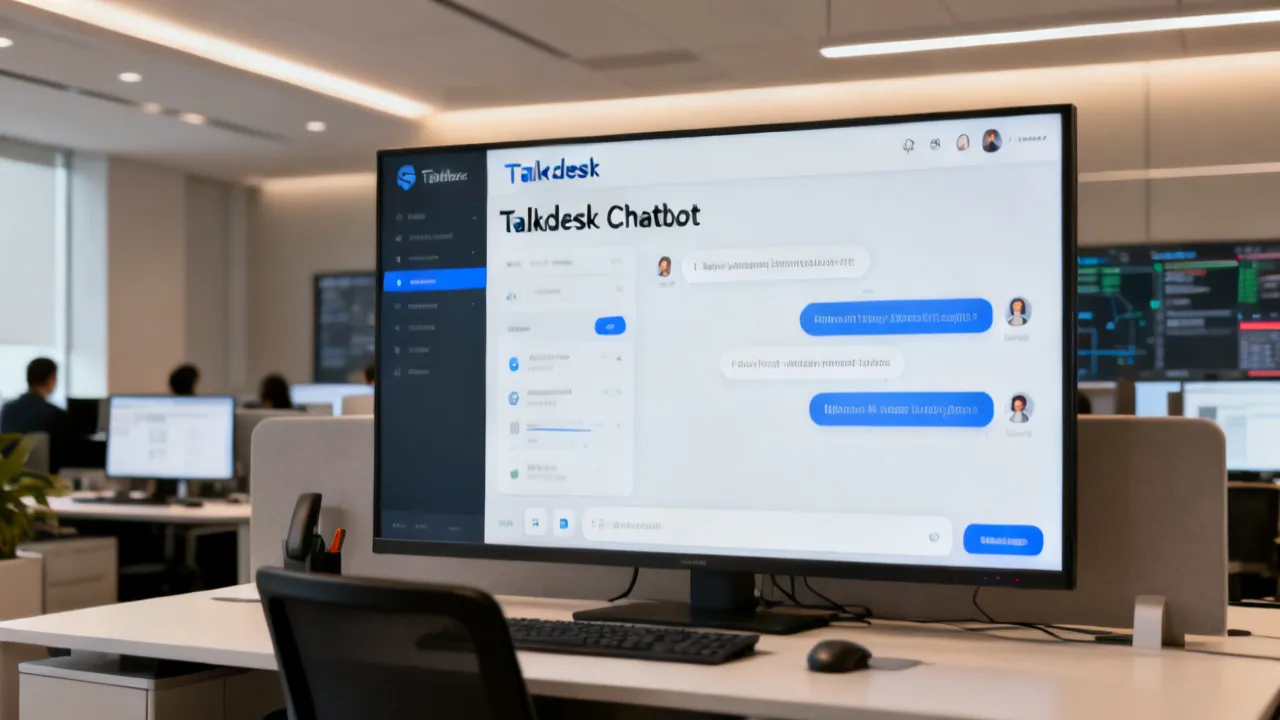
Talkdesk Chatbot Guide for Contact Center Efficiency
This guide explains how a Talkdesk Chatbot can streamline customer interactions, reduce repetitive workload, and improve routing accuracy through conversational workflows. It provides an objective overview of chatbot capabilities, typical integration considerations, and operational top practices, including governance, quality assurance, and metrics selection for contact centers evaluating AI-driven customer service.

A Practical Guide to Talkdesk Chatbot Adoption
This guide explains how to plan, evaluate, and implement a Talkdesk Chatbot for efficient customer service. It reviews the core concepts behind AI-driven conversational support, the operational choices contact centers must make (routing, escalation, and compliance), and how to align the chatbot with existing support workflows. It also includes expert considerations, requirements, and FAQs to support sound decision-making.

Talkdesk Chatbot Implementation Guide for Contact Centers
This guide explains how a Talkdesk Chatbot can enhance contact-center deflection, routing, and customer self-service. It objectively reviews what chatbot-driven workflows do, where they fit in omnichannel CX, and what capabilities to evaluate—such as integrations, escalation rules, and compliance—so teams can implement responsibly with measurable outcomes.

How a Talkdesk Chatbot Improves Contact Center Efficiency
This guide explains how a Talkdesk Chatbot supports faster, more consistent customer service through intelligent conversation flows and workflow automation. Objectively, “Talkdesk Chatbot” refers to an AI-assisted customer support channel integrated with contact-center systems. We review core capabilities, practical implementation choices, and decision conditions so teams can evaluate fit for their support operations.

How to Evaluate a Talkdesk Chatbot for Contact Centers
This guide explains how to assess a Talkdesk Chatbot for real-world customer service outcomes. It outlines objective background on conversational AI in contact centers, how bot interactions integrate with routing, knowledge, and compliance workflows, and what to verify before rollout. You’ll also find practical evaluation steps, requirements, and FAQs to support decision-making.

A Practical Guide to Talkdesk Chatbot Deployment
This guide explains how a Talkdesk Chatbot supports customer service operations, from use-case selection to secure deployment and performance governance. It provides an objective background on conversational AI, contact-center automation, and why bot-to-agent workflows matter for compliant, consistent service outcomes.